
Try the Sagalings app
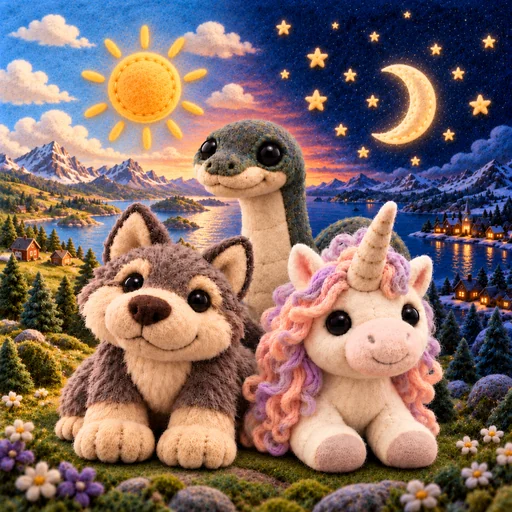
Welcome to the very first demo of the Sagalings app. Your child makes their own character, picks Fenrir, Nessie or Unicorn as their first Sagaling and looks after it with food, cuddles and play. Every day a new card pack is waiting.
The demo opens in your browser, so there is nothing to download. This is an early, simple demo. The first time you start, you choose English or Norwegian, and you can change the language in Settings. We would love to hear what you think.
What's new
Version 0.3.6, October 31
- Home is now Your Village. Tap a place to go there. Your Sagalings live in the Forest. The School has the quiz, Word Search and Color by Number. The Race Track has Saga Run. In the Playhouse you play Find the pairs. The Library has the sagas of the Sagalings you have found, and the Saga Tree is the Sagadex. The Crystal Mine has the Shop, where you see the decorations that are coming and what they will cost. Your House comes later.
- You now have your own level. You get XP when you do the daily quests, care for your Sagalings, play, hatch eggs and read or listen to a saga all the way to the end. The games also give you aurora crystals. You see your level and your crystals at the top of the screen. Save the crystals for later!
- Word Search is a new game where you look for words from the sagas of the Sagalings you have found. Choose Easy, Medium or Hard. If you get stuck, you can get one hint, but then you only get half the crystals.
- Color by Number is a new game. Choose Easy, Medium or Hard and color Nessie by number. The app remembers how far you got, and you can save or share your picture.
- "Games" at the bottom now shows the games two by two, each with its own felt badge. Find the pairs and Today's quiz are there too.
- In Endless in Saga Run, it gets faster every 20 seconds and keeps getting harder, with more obstacles. Saga Run gives up to 60 aurora crystals a day. After that the crystals turn pale, but they still count toward your record.
- In the Forest the Sagalings now walk forwards and backwards too, each at its own pace, and they never walk through each other or the decorations. Tap your character, and it hops and says "Hi!"
- On tablets and screens turned on their side, the Forest now has the same cliff picture as on phones, and the cliff goes on out to the sides.
- When an egg hatches, the new Sagaling is no longer huge. Big and small Sagalings have the right size next to each other, and the new one stands on the ground.
- In Find the pairs the symbols sit in the middle of the cards again. They are now a felt heart, star and crystal, and the back has a felt question mark.
- Settings now have a cross in the top corner, so you can close them without scrolling down.
- In "The app has been updated", each line has a small picture, an icon or a dot in front, and a line between the items keeps them apart.
 Home is now Your Village. Tap a place to go there. Your Sagalings live in the Forest. The School has the quiz, Word Search and Color by Number. The Race Track has Saga Run. In the Playhouse you play Find the pairs. The Library has the sagas of the Sagalings you have found, and the Saga Tree is the Sagadex. The Crystal Mine has the Shop, where you see the decorations that are coming and what they will cost. Your House comes later.
 "Games" at the bottom now shows the games two by two, each with its own felt badge. Find the pairs and Today's quiz are there too.
 In Endless in Saga Run, it gets faster every 20 seconds and keeps getting harder, with more obstacles. Saga Run gives up to 60 aurora crystals a day. After that the crystals turn pale, but they still count toward your record.
 Settings now have a cross in the top corner, so you can close them without scrolling down.
Version 0.3.5, October 26
- You can now save the game in the cloud with Google. Sign in under "Cloud save" in the settings and tap "Yes, save here", and you can get the game back if you change or lose your phone. The game works just as well without signing in.
- Baku, Jin Chan, Drop bear, Bigfoot and Mušḫuššu are new Sagalings you can find in packs. All five have Rare and Legendary looks too, and you can ride Bigfoot and Mušḫuššu in Saga Run.
- Legendary Sagalings are now bigger in the habitat.
- An adult Rare or Legendary keeps its look while you care for it, even while it eats.
- In "Cards", Sagalings you haven't found yet show as cards the same size as the others, with the window covered and "Unknown" as the name. On every card the Sagalings now stand on the same line.
- In Saga Run, the list of Sagalings is shorter. The one you picked looks pressed in, and "Show all" shows the rest. The ones you ran with last come first.
- Many of the characters in "Make your character" have new hair, so each skin tone has more kinds of hair to choose from. On an iPad the whole page now fits without scrolling.
- The small gems on traits no longer cover the name, and short messages, like when your Sagaling has eaten, now show under the top bar instead of over the logo.
- Small decorations in the habitat never stand in front of a Sagaling. Under "Habitat" in the settings you now choose between two buttons, "Lively" and "Still", and the one you chose is marked.
- If there are no players on "Who's playing?" but the app has kept an earlier game, you can tap "Restore earlier game" right there, without making a new player first.
 You can now save the game in the cloud with Google. Sign in under "Cloud save" in the settings and tap "Yes, save here", and you can get the game back if you change or lose your phone. The game works just as well without signing in.
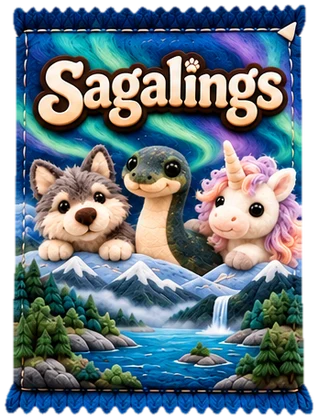 Baku, Jin Chan, Drop bear, Bigfoot and Mušḫuššu are new Sagalings you can find in packs. All five have Rare and Legendary looks too, and you can ride Bigfoot and Mušḫuššu in Saga Run.
 Legendary Sagalings are now bigger in the habitat.
 In "Cards", Sagalings you haven't found yet show as cards the same size as the others, with the window covered and "Unknown" as the name. On every card the Sagalings now stand on the same line.
 Small decorations in the habitat never stand in front of a Sagaling. Under "Habitat" in the settings you now choose between two buttons, "Lively" and "Still", and the one you chose is marked.
Version 0.3.4, October 25
- The app never deletes your game without asking. If it can't read the saved game, it keeps a copy. If there is an earlier copy it can read, you choose whether to restore it or start a new game. If the game was saved by a newer version of the app, it asks you to update first. In the settings you can now download the game as a file with "Export the game". When there are copies, "Restore earlier game" is there too.
- The Sagadex page has a new look. Each stage sits in its own felt tile with a small wooden sign that shows its name once you have found it, and "Learn more" takes you straight down to the Sagaling's story.
- The hair on the character you make in "Make your character" has a clean edge, without the light fringe that used to show on dark backgrounds.
- Rare and Legendary Fenrir have the glint back in their eyes.
 The Sagadex page has a new look. Each stage sits in its own felt tile with a small wooden sign that shows its name once you have found it, and "Learn more" takes you straight down to the Sagaling's story.
Version 0.3.3, October 23
- The Sagalings have a new felt look. The name sits on a felt plate in the rarity's color, and the Common, Rare and Legendary badge is the same everywhere in the app. Traits sit on felt strips.
- On "Cards", matching cards lie in a stack, and a number in the corner shows how many Common cards you haven't used. The eggs show the new badge too.
- When you open a card pack, you see all the cards you got on one screen.
- The habitat is locked while you play. Tap a Sagaling and it shows how it feels, and the Sagalings wander around a little on their own. Unlock it in "Edit" when you want to move and decorate. For a quiet habitat, choose "Still" in the settings.
- When an egg hatches, the baby lands straight on the ground.
- The audiobook player has felt buttons, and "What's new" has small pictures.
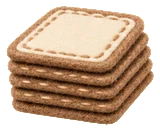 On "Cards", matching cards lie in a stack, and a number in the corner shows how many Common cards you haven't used. The eggs show the new badge too.
Version 0.3.2, October 21
- Listen to the saga as an audiobook with "Listen" on the Sagadex page. A small player shows that the audiobook is playing while you do other things in the app.
- Move things in the habitat and drag them to "Undo" or "Remove". "Lock" keeps an item where you put it. The Sagalings' names are hidden until you turn them on with "Names".
- The camera button opens a menu with "Take a photo" and "Gallery", and the photo now shows the sky all the way up to the clouds.
- The Back button on your phone now goes back inside the app instead of closing it.
- Daily quests take you straight to where you do them.
- In "My records" you pick the game, map and level in small filter menus.
 Listen to the saga as an audiobook with "Listen" on the Sagadex page. A small player shows that the audiobook is playing while you do other things in the app.
 The camera button opens a menu with "Take a photo" and "Gallery", and the photo now shows the sky all the way up to the clouds.
 The Back button on your phone now goes back inside the app instead of closing it.
 Daily quests take you straight to where you do them.
 In "My records" you pick the game, map and level in small filter menus.
Version 0.3.1, October 19
- Griffin, Cerberus and Sleipnir are new Sagalings you can find in packs.
- Sagalings show feelings that fit their age, and they move in different ways to show each feeling.
- When an egg hatches, the new Sagaling stands in its own saga landscape, and the message “New in the Sagadex!” appears when you find something new.
- Saga Run has an Endless mode, where you run until your lives are gone and it gets faster and faster.
- After opening a pack, tap OK or go straight to your cards.
- Sort and filter your Sagalings with new felt buttons, and traits now take up less space and are easier to read.
 Sort and filter your Sagalings with new felt buttons, and traits now take up less space and are easier to read.
Version 0.3, October 18
- The whole app has a new felt look, with saga landscapes behind each Sagaling, felt buttons and signs.
- New cards where each Sagaling stands in its own saga place, embroidered on felt.
- Saga Run is a new running game where you run with your Sagaling through Fenrir's world and collect crystals. You'll find it under Games.
- Sagalings grow from babies into youngsters at level 5 and into adults at level 10.
- Drag food to your Sagaling to feed it, and take photos in the habitat.
- Sagalings have traits that help with food, cuddles, play or finding cards.
- Rare and Legendary cards give you a new Sagaling, and you can have several favourites.
- The quiz hint tells you which page of the saga has the answer.
- The habitat now fills the screen on phones, and your name appears next to Settings.
 Sagalings grow from babies into youngsters at level 5 and into adults at level 10.
 Drag food to your Sagaling to feed it, and take photos in the habitat.
 The quiz hint tells you which page of the saga has the answer.
Version 0.2, October 16
- New felt pictures for eggs, buttons and icons, and a bigger habitat by the fjord.
- The habitat fills the whole screen on tablets, also in landscape, with thick forest on the sides.
- When you open packs, you can find rare and legendary eggs. They shake and crack before you see what is inside.
- Daily missions and the daily quiz give extra cards.
- You can give your Sagalings names.
- The game is now in English and Norwegian. The first time you start, you choose your language, and you can change it in Settings.
- The first time you start, you choose whether the game should have parental controls. You can change this in Settings.
- Pick your look without having to scroll.
Version 0.1, October 15
- The first test version. Meet Fenrir, Nessie, Unicorn, Jackalope, Kraken and Yeti.
- Make your own player, hatch your first egg and look after your Sagaling.
- A daily card pack, a habitat you can decorate and the Sagadex with the sagas.
Coming soon
Later
- Hats and glasses for your Sagalings.
- Saga Run with new obstacles, more forest animals and richer scenery along the track.
- Otto in Saga Run.
- The sagas in the app.
- Clothes and accessories for your Sagalings.
- A cozy longhouse-style living room where you can look after your Sagaling.
Add the demo to your home screen
The demo then gets its own icon and opens full screen, almost like a regular app.
The button opens the demo and shows you what to tap. On Android one tap is usually enough. On iPhone and iPad you must use Safari, and it takes two taps, because Apple does not allow web pages to install directly. If it doesn't work, follow the steps below.
iPhone and iPad Your device
- Open the demo in Safari.
- Tap the Share button, the square with an arrow pointing up. If you can't see it, tap ⋯ first.
- Choose “Add to Home Screen”.
- Tap “Add”.
Android Your device
- Open the demo in Chrome.
- Tap ⋮ at the top right.
- Choose “Install app” or “Add to Home screen”.
Do this from the demo itself, not from this page. Otherwise you get an icon that opens this info page. On iPhone and iPad the home screen icon does not remember what you did in Safari, so add the demo to your home screen before you start playing.
Test mode is for grown-ups who want to test the game at a faster pace. Turn it on under Settings inside the app. You will need to solve a math problem first. You then get the buttons “+1 day”, “+5 days” and “+10 days” in Settings. Each button jumps that many days ahead. You get a new card pack for every day, and you can feed, cuddle and play with your Sagalings again straight away. That way you collect cards for Common, Rare and Legendary eggs much faster. A small TEST mark at the top of the screen shows that test mode is on, and you can turn it off again at any time. At the bottom of Settings you will also find “Reset the game”, which deletes everything and starts over. To confirm, you solve a math problem and type RESET (or NULLSTILL if the game is in Norwegian).
Thoughts and plans
The demo is only the beginning. Here is some of what we are working on and dreaming of.
- All 20 Sagalings We are working on bringing in all 20 Sagalings, each with its own myth. We would also like to bring the Sagadex and the Sagas into the app, so you can see the collection and read the sagas in one place.
- Family account We are working on a family account with room for up to 10 players, so brothers and sisters can each have their own collection.
- Personal stories We dream of personal stories where your child's own Sagaling joins the adventure.
- Plush toys We also dream of real Sagalings plush toys in felt and fabric that children can hold and cuddle.
- Cloud save The demo is saved on this device. Sign in with Google under "Cloud save" in the settings and tap "Yes, save here". When the app says "The game is now saved in the cloud.", you can get the game back if you change phones.
We have no dates to promise yet. We would rather do it well than do it fast.
Follow us
Want to see what happens next? Follow Sagalings on Facebook.
Feedback and wishes
What did your children like? What was hard? What do you wish the app could do? Anyone can read the posts. To post or vote, sign in with Google. We hope to add sign-in with Apple later.
Feedback opens soon.
This is a demo of the Sagalings app. The app has not been launched yet.